LegendCTL — Reviewer / Tester Kit
A one-stop kit for anyone evaluating, testing, or writing about LegendCTL. The ask is simple: try it honestly and say what you actually find — a candid take is far more useful than a kind one. Everything below is fair game to quote, screenshot, or record (MIT-licensed).
What it is, in one line
A free, open-source, fully-local Windows configurator for the ZD Ultimate Legend controller — open, auditable, and no-telemetry, for the settings it supports. It runs standalone — the official ZD app isn’t required.
The 30-second pitch
LegendCTL reads and writes ZD Ultimate Legend controller settings (deadzones, sensitivity curves, polling rate, button mapping, triggers, lighting, vibration, paddles) over standard USB-HID. What makes it worth a look isn’t any single feature — gamepad testers and config apps exist — it’s the posture:
- Open source (MIT) — every line is on GitHub; build it yourself.
- Fully local — the process makes zero network calls (no telemetry, no analytics, no auto-update). You can prove it in two minutes (below).
- Honest writes — it reports the real outcome of each write and reads values back on the verifying paths.
- Standalone — talks straight to the controller; the official ZD app isn’t required.
- A safety net — Restore Points before risky changes, an append-only local event ledger, and a clear Recovery path.
- Honest about its limits — bench-tested on a single unit; it says so, and it reports each write-call outcome and reads the value back on the paths that can.
It is not a macro/turbo tool, not a virtual-controller driver, and not a firmware updater — those are deliberately absent.
Get it (≈2 minutes)
Portable ZIP is the low-friction path — no admin, no installer:
- Download
ZDUltimateLegend-v<version>-windows.zipfrom the latest release. - The build is currently unsigned, so Windows SmartScreen may show
“Windows protected your PC” on first run. That can happen for unsigned or
low-reputation downloads — if you like, verify the SHA-256 against
SHA256SUMS.txtin the release first, then More info → Run anyway. - Extract anywhere and run
ZD Ultimate Legend.exe(the window/exe still carry the project’s legacy name — same program).
You’ll need a ZD Ultimate Legend plugged in via USB to exercise the device features; the UI and Live Verify open without one.
A suggested 5-minute test path
- Plug in & connect. The app auto-reads the controller’s current state.
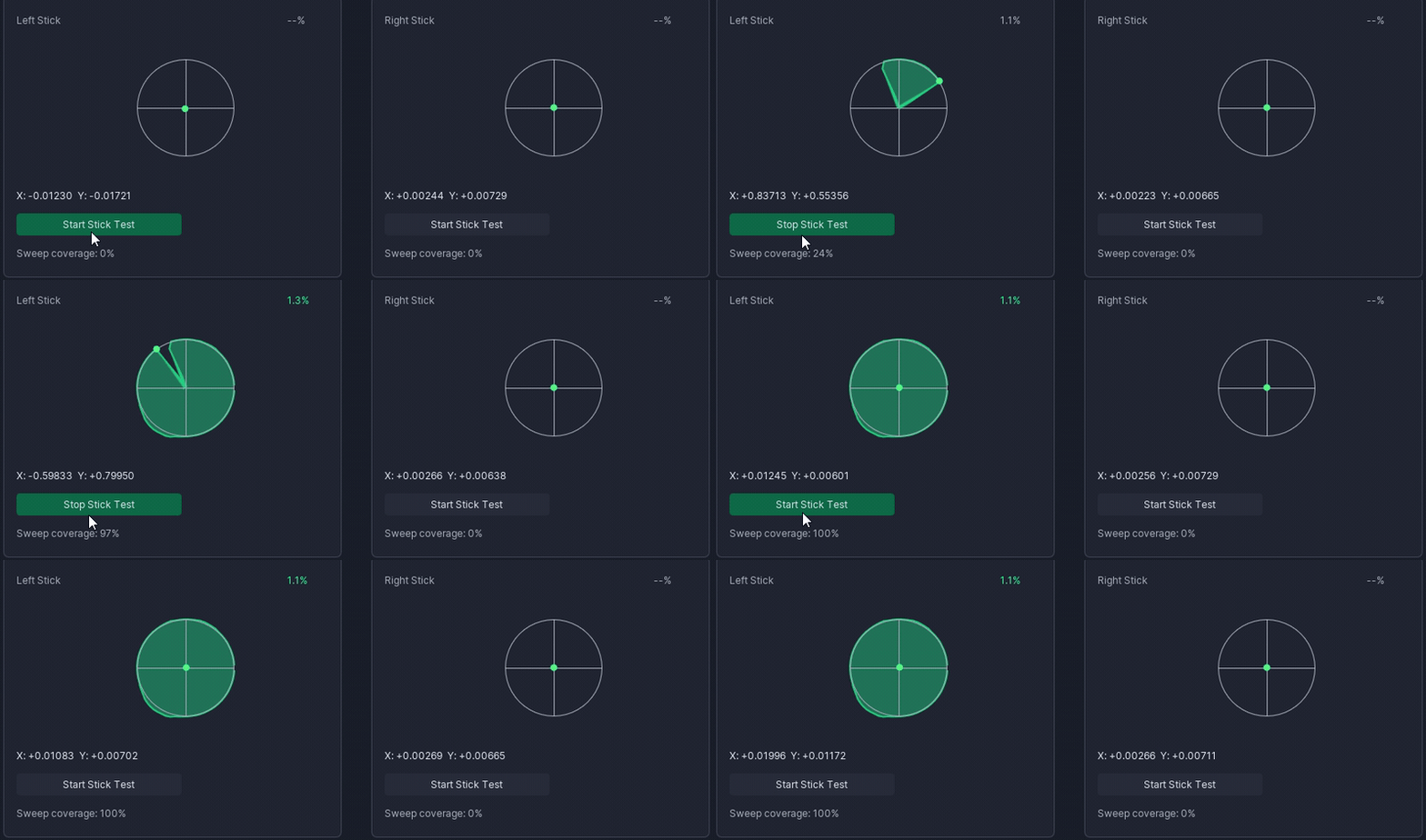
- Live Verify. Open it and sweep both sticks — each stick’s trace fills its circle and the per-stick circularity settles to a percentage. Then drag a deadzone inline and watch the envelope respond live (this deadzone-tied circularity is the part web testers can’t do — they can’t touch your hardware).
- Change a setting and watch the write. Adjust e.g. a deadzone or sensitivity and Apply — note that it reports the actual per-field outcome and refreshes from the device.
- See the safety net. Open Restore Points — note that risky changes capture one automatically; restore an earlier one to roll back.
- Prove “no network” (the fun part). Two ways now: open the in-app Trust Self-Check (Diagnostics) — it scans the running build for networking code, confirms no driver / virtual device / background service, and copies the result out; and/or follow docs/verifying-no-network.md to watch Resource Monitor show zero connections while the app runs and writes.
- Create a Compatibility Report + evidence card. From Diagnostics, generate a share-safe Compatibility Report (your variant / firmware + what you actually tested) — it aligns to the public compatibility matrix — and export the one-page evidence card (HTML or Markdown) summarizing the trust posture + your config. Both are pasteable / screenshotable and fully offline — handy if you’re writing it up.
What’s genuinely differentiated (and what isn’t)
- Commodity: a stick/circularity tester. Plenty of free web tools do that. It’s a nice gateway, but it’s not the reason to pick LegendCTL.
- Differentiated: an open, local, no-telemetry, auditable configurator that reports each write’s outcome and reads values back on the verifying paths — and is honest about untested hardware. The deadzone-tied live circularity is the most camera-friendly demo of that.
For context (a category pattern, not a swipe at any one app): closed controller and peripheral software commonly bundles telemetry and analytics SDKs. LegendCTL’s pitch is the inverse, and it’s verifiable rather than asserted.
Honest caveats (please mention these)
- One unit, bench-tested. Developed/verified on a single ZD Ultimate Legend (firmware v1.18 incl. 8K, v1.24 incl. 8-point sensitivity). The controller ships in six variants; other variants/firmware are best-effort — see the compatibility matrix for the current evidence ledger.
- Unsigned today (a SmartScreen warning may appear; signing is planned via the SignPath Foundation OSS program once eligible).
- AI-assisted, human-directed and reviewed — disclosed in the Acknowledgments; the code is open and test-enforced so the claims are checkable.
- Solo, best-effort hobby project — no support contract; see SUPPORT.md.
Assets
- Demo GIF (in-repo): docs/media/legendctl-liveverify-demo.gif
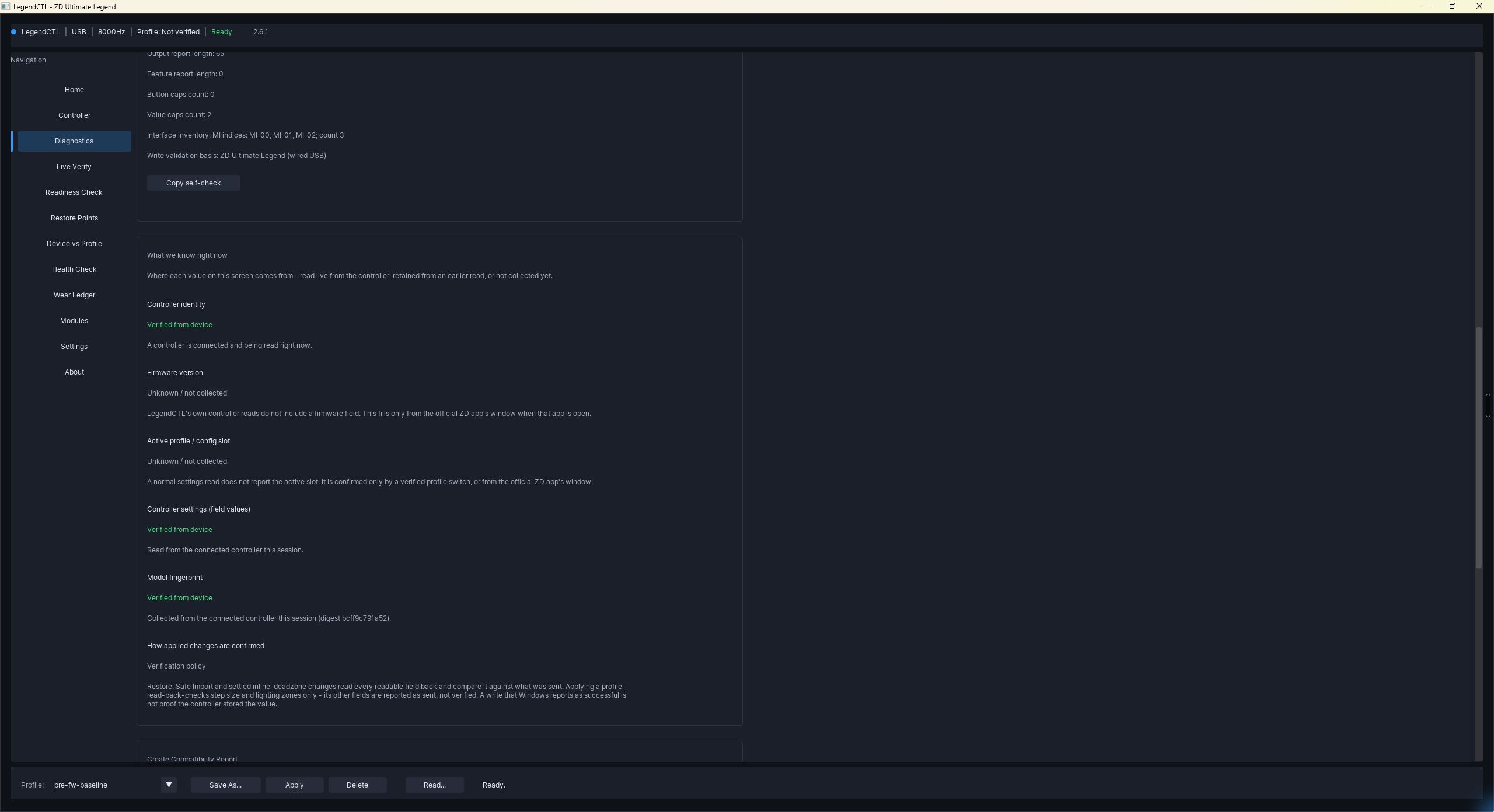
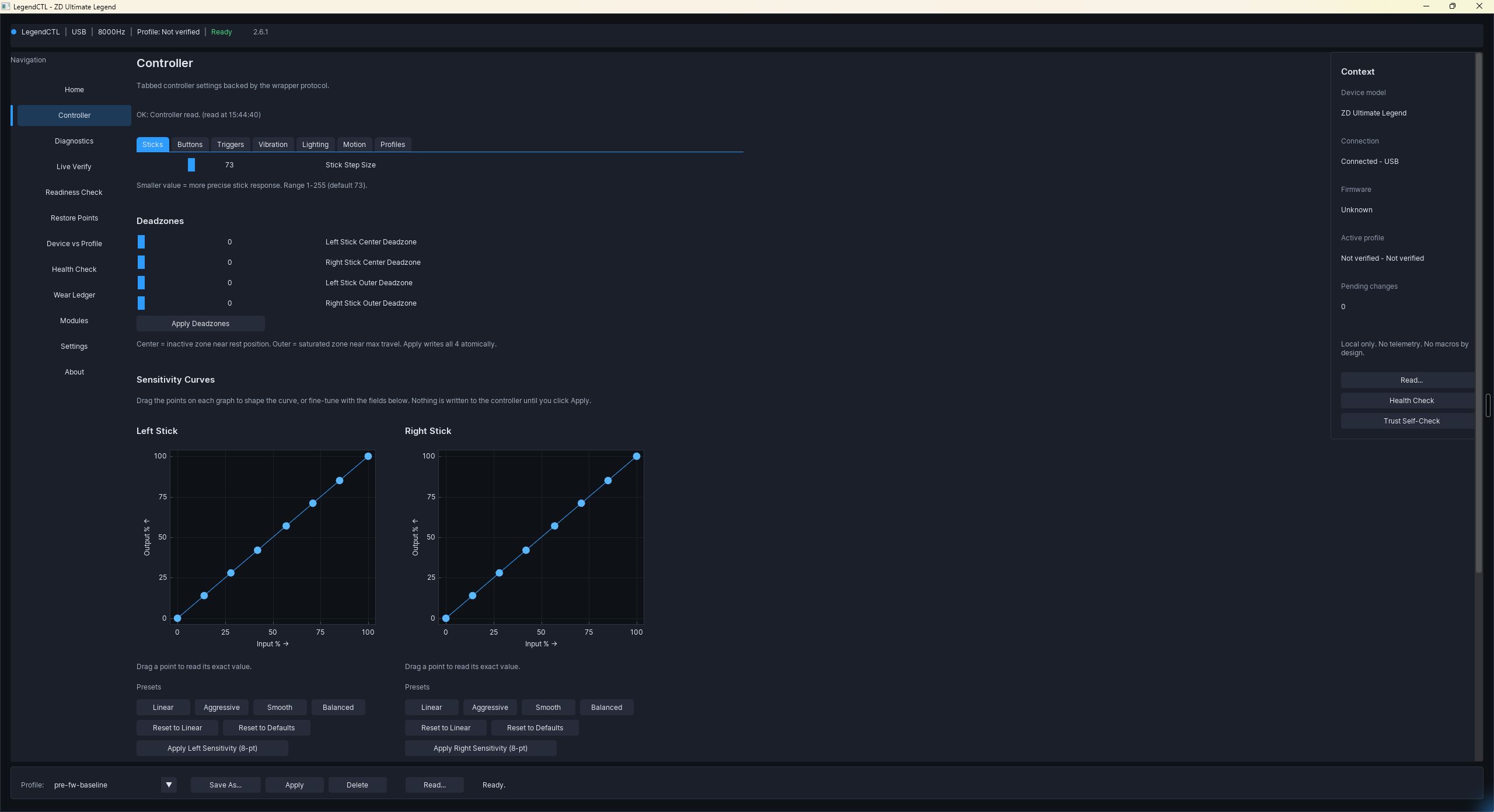
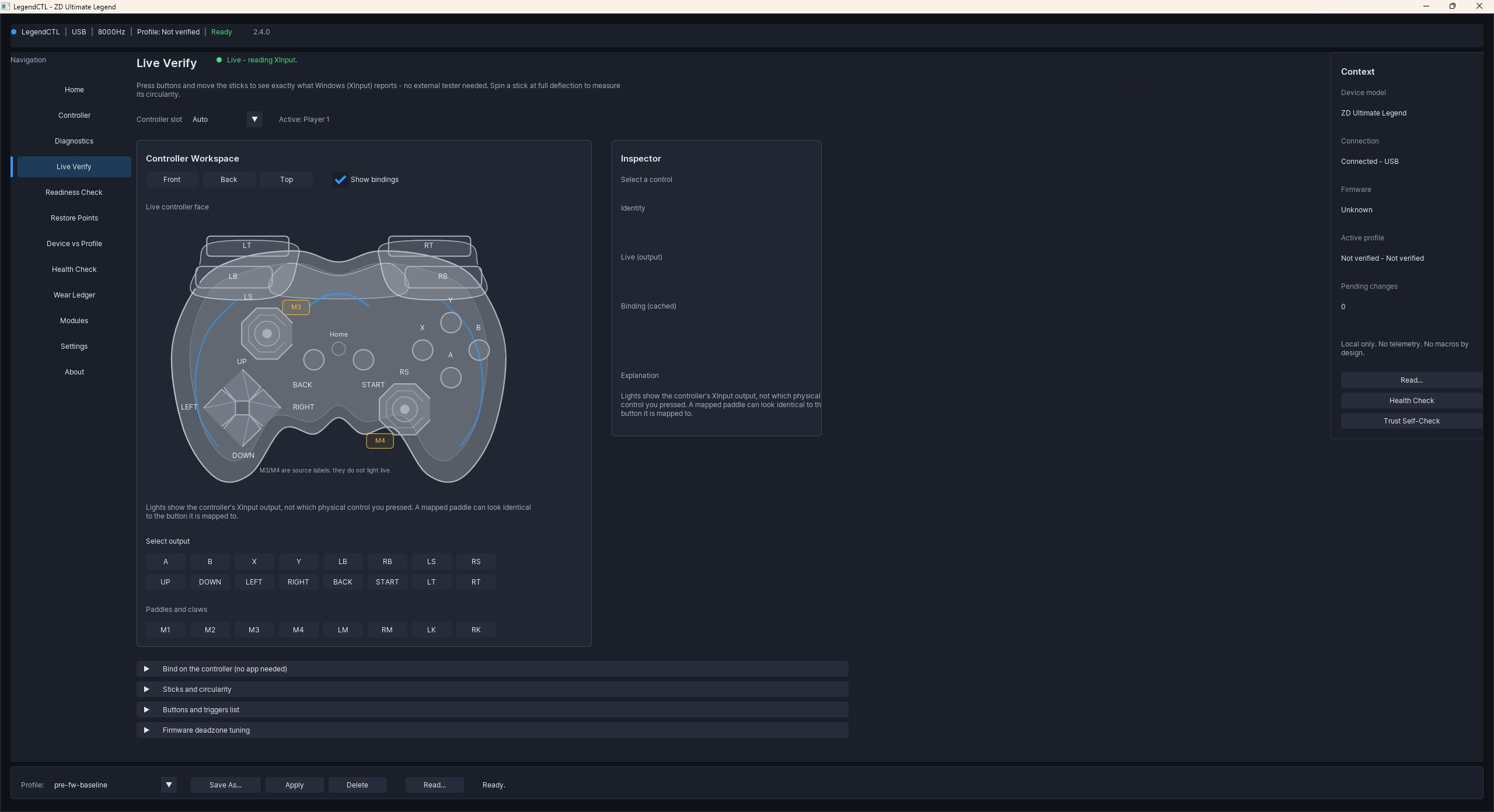
- Screenshots (fresh v2.6.1 captures):
- Overview / Home —
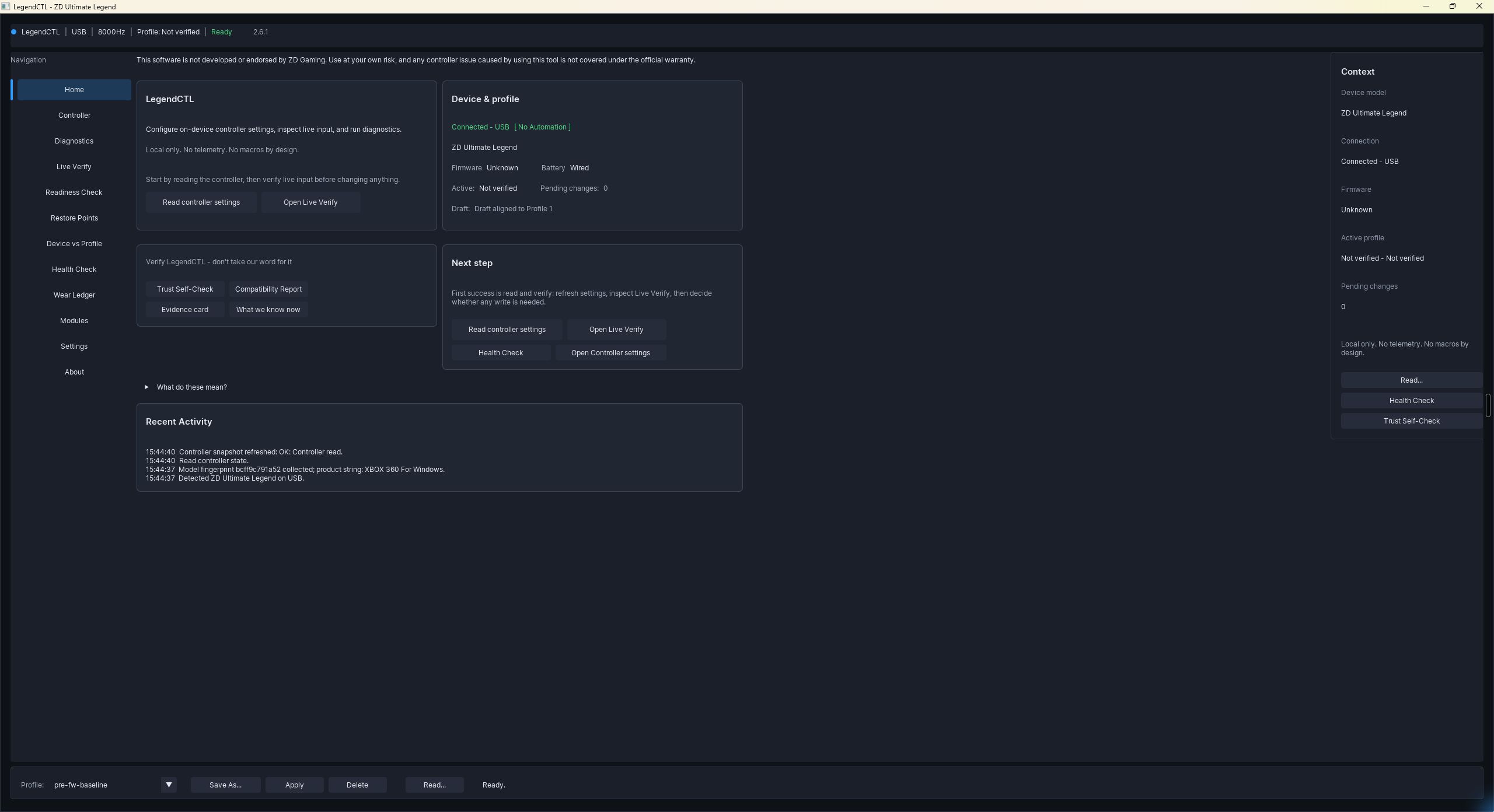
- Trust Matrix — per-row value provenance, with the muted “Verification policy” chip on the applied-changes row —
- Sticks — deadzones and sensitivity-curve editors —
- Live Verify — live XInput view (the demo GIF above shows a full circularity sweep) —
- Overview / Home —
- More screens (dual-stick Live Verify, controller settings, diagnostics) are in docs/media/. Need a specific shot, a higher-res capture, or a short clip of a particular flow? Open a Discussion and it’s easy to provide.
What feedback is most useful
Candid, not flattering. Especially: did the download → SmartScreen → first run path feel safe and clear? Did writes behave as reported on your unit? Anything confusing in the first 60 seconds? Anything that felt untrustworthy? Bugs and “this didn’t work on my controller” reports are genuinely welcome — file them here.
Coverage notes
No endorsement is requested or implied — please test independently and say what
you find. If you do cover it, a link to the repo
(https://github.com/EvilHumphrey/LegendCTL) is appreciated so people can read
the source and verify the claims themselves. Everything here is MIT-licensed and
free to use.